
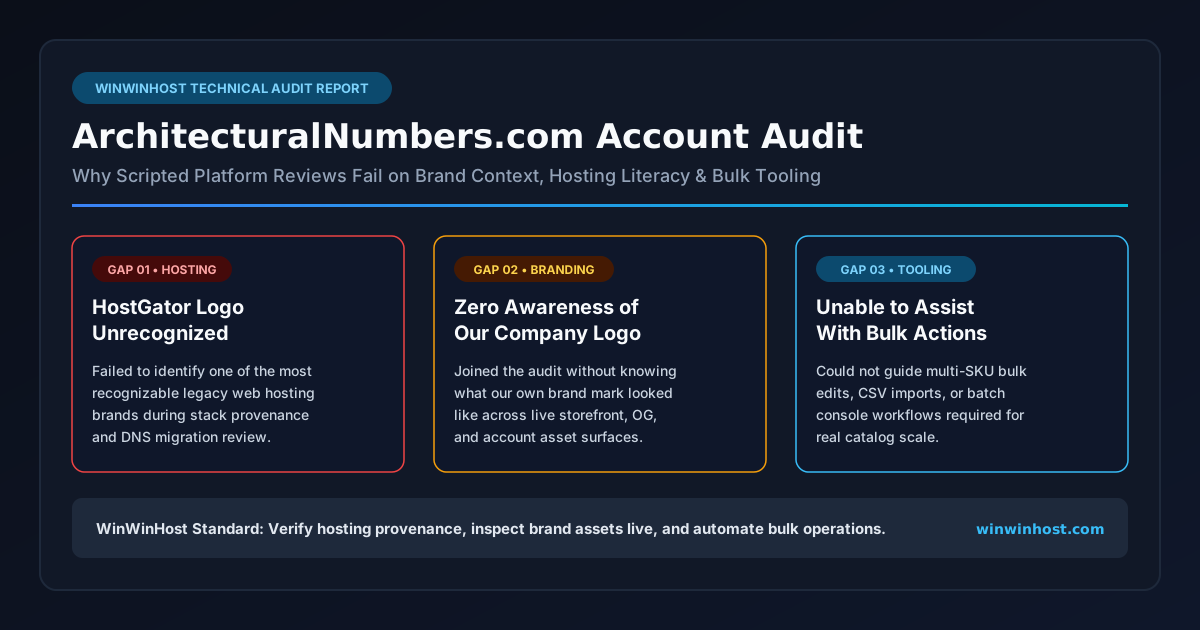
When you build and operate a custom e-commerce platform like architecturalnumbers.com—complete with a Three.js 3D sign configurator, hundreds of architectural finish and size permutations, and a multi-stage fulfillment pipeline—an account audit should be a focused technical working session. Instead, during my recent audit of architecturalnumbers.com with an assigned "Google expert," the call fell apart on three basic fronts: the representative failed to recognize the HostGator logo, did not even know what my own company logo looked like, and could not help me with any of the platform's power tools such as bulk actions.
1. Failing to Recognize the HostGator Logo
Early in the architecturalnumbers.com review, we walked through the domain's hosting history, legacy DNS records, and migration provenance. Like many long-running commercial sites that have been online for years, the domain's historical footprint included references and screenshots involving HostGator—one of the most widely recognized shared web hosting providers on the internet for more than two decades.
Yet when the HostGator logo appeared on screen during the audit, the Google expert had no idea what it was. They did not recognize the brand, did not know it was a web hosting provider, and could not connect its presence to standard hosting-layer concepts such as legacy cPanel redirects, nameserver handoffs, or origin server migrations.
On the surface, missing a logo might sound like a trivial pop-quiz oversight. In practice, it is a reliable diagnostic signal. Anyone who regularly audits live websites, verifies domain ownership records, or troubleshoots merchant and campaign landing pages encounters major hosting providers—HostGator, Bluehost, GoDaddy, Cloudflare, AWS, and dedicated bare-metal hosts—every single week. If an advisor cannot identify one of the most ubiquitous logos in the web hosting industry on sight, they are not looking at real infrastructure; they are reading from a generic call script.
2. Zero Awareness of What My Own Company Logo Looked Like
Even more telling than missing a third-party hosting brand was what happened next: the specialist did not even know what my own company logo looked like. Despite having the architecturalnumbers.com domain and account open in front of them for a scheduled audit, they had done zero pre-call inspection of the live site, its header branding, its favicon, or its business profile assets.
In a real brand and asset audit, verifying visual identity is foundational:
- Asset Consistency Across Surfaces: Confirming that the primary SVG or high-resolution PNG mark on the storefront matches the square and landscape logo assets uploaded to merchant, business, and ad extensions.
- Contrast & Cropping Integrity: Checking that transparent-background marks do not vanish against dark headers or get clipped inside circular avatar frames.
- Spoofing & Misattribution Checks: Ensuring that automated asset scrapers have not pulled a generic placeholder, a supplier badge, or an outdated graphic in place of the authentic company emblem.
When the person conducting your audit cannot recognize your company logo—even while looking at the exact account they were assigned to review—it becomes clear that no real audit preparation took place. You end up spending your own engineering time introducing your brand to the person who was supposed to bring specialized platform insight to the table.
3. Unable to Help With Bulk Actions or Platform Tools
The primary reason an experienced site owner or agency joins a platform specialist call is never to hear a high-level sales pitch about turning on automated defaults. It is to solve concrete workflow bottlenecks inside the console—especially bulk actions.
On a catalog like architecturalnumbers.com, single-item editing does not scale. Custom architectural house numbers, plaques, and commercial signage span dozens of font families, multiple metal alloys and anodized finishes, varying heights from 4 inches to 24 inches, and distinct mounting hardware kits. Managing landing-page URLs, feed attributes, campaign labels, bid modifiers, or status toggles one row at a time in a browser form is an operational dead end.
When I asked the Google expert for direct assistance with bulk actions and related console tooling, they could not walk through a single practical workflow:
- Multi-Row Selection & Batch Edits: They could not guide how to filter targeted entities, apply uniform attribute updates, or stage batch status changes safely without triggering unintended resets.
- Spreadsheet & CSV/TSV Bulk Uploads: Rather than explaining schema headers, action columns (
Add,Set,Remove), or dry-run preview validation before committing changes, they deflected to generic help-center links. - Automated Rules & Tooling Shortcuts: Questions about bulk URL parameter updates, shared label taxonomy, or offline editor synchronization went unanswered.
In short, every tool that actually saves an engineer or store operator hours of manual labor was outside their working knowledge. The conversation repeatedly drifted back to clicking one-size-fits-all recommendations in the overview tab—the exact opposite of disciplined catalog and campaign control.
Scripted Support Call vs. Practitioner Technical Audit
After the session, it was easy to see why so many business owners walk away from scheduled "expert" calls frustrated. The incentives and training behind scripted account check-ins are fundamentally different from hands-on systems engineering:
| Audit Dimension | Scripted "Google Expert" Call | WinWinHost Practitioner Audit |
|---|---|---|
| Hosting Stack Literacy | Fails to recognize major hosting brands such as HostGator or trace DNS/origin provenance. | Inspects authoritative DNS, origin server headers, TLS termination, and migration history directly. |
| Company Logo & Brand Assets | Joins the call without checking what the client's logo looks like on the live site. | Verifies live header marks, favicons, Open Graph images, and aspect-ratio compliance before the review. |
| Bulk Actions & Power Tooling | Unable to assist with batch edits, CSV/TSV uploads, or multi-SKU workflow automation. | Builds repeatable bulk-edit templates, validated CSV pipelines, and deterministic batch updates. |
| Catalog & SKU Understanding | Treats a configurable 3D hardware catalog like a single-page brochure site. | Maps product variants, configurator URLs, and fulfillment constraints to structured data. |
| Session Output | Generic encouragement to accept automated dashboard prompts. | Concrete root-cause diagnostics, reproducible tooling steps, and measurable code or feed fixes. |
How We Handle Technical Audits at WinWinHost
That experience on architecturalnumbers.com reinforced a rule we already enforce across every property hosted and engineered at WinWinHost: never outsource your operational literacy to a scripted support queue. If you run a custom e-commerce platform, you need an engineering-grade audit checklist that you control end-to-end.
Verify Brand Assets & Hosting Provenance First
Before any external review, verify your own visual and infrastructure footprint. Confirm that your canonical logo files are served locally over HTTPS with clean dimensions, that your Open Graph and social preview cards reference your current mark rather than legacy thumbnails, and that your DNS and hosting records cleanly reflect your active production stack—especially if you have migrated off legacy shared providers like HostGator onto dedicated NVMe infrastructure.
Master Bulk Actions Independently
Never rely on a live support representative to teach you batch operations under time pressure. Maintain version-controlled CSV/TSV templates for your product catalogs, URL mappings, and campaign structures. Always test bulk actions on a small filtered subset or in preview mode first, keep an export snapshot before applying mass mutations, and automate repetitive updates through documented APIs or offline desktop editors rather than brittle browser checkboxes.
A real technical audit starts with knowing the stack, knowing the brand, and knowing the tools. Anything less is just reading a checklist over the phone.
Need a Real Technical Audit Instead of Scripted Callbacks?
At WinWinHost, we build, host, and audit production platforms like ArchitecturalNumbers.com with full-stack visibility—from origin server performance and DNS hygiene to structured product feeds and bulk operational workflows. Request our Free Website Performance Audit & Surgical Code Repair or contact our engineering team directly.