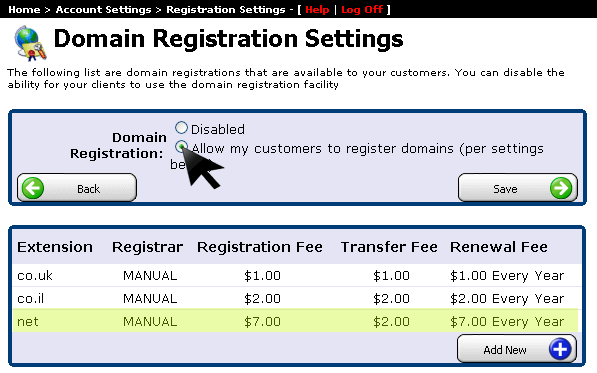
Expanding your available TLD catalog allows client users to register specialized domain extensions (.com, .org, .net, .io, .co) directly through your reseller portal with custom retail profit margins. Follow this visual step-by-step tutorial to add new domain extensions and set retail pricing in WinWinHost:
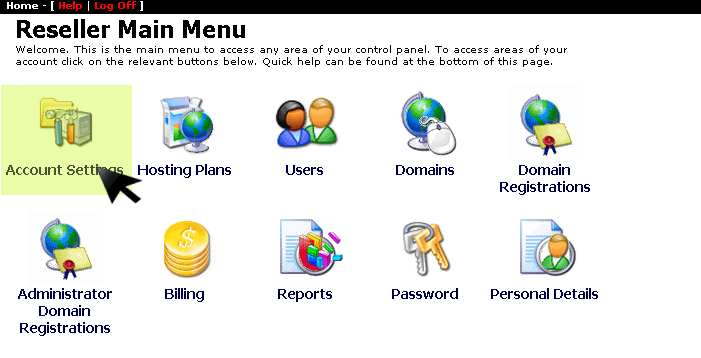
1. Open Account Settings
From the main reseller management dashboard, click on Account Settings:
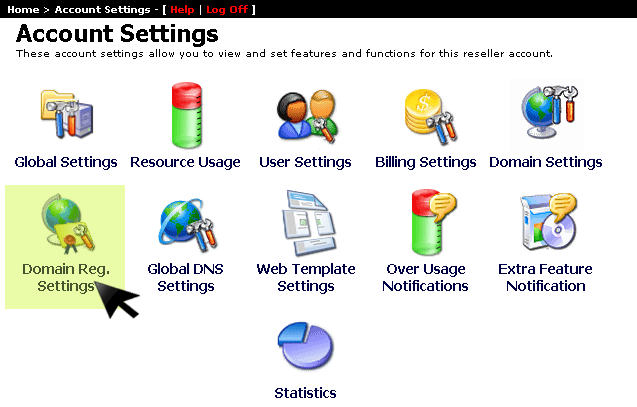
2. Select Domain Registration Settings
In the account options list, select Domain Reg. Settings:
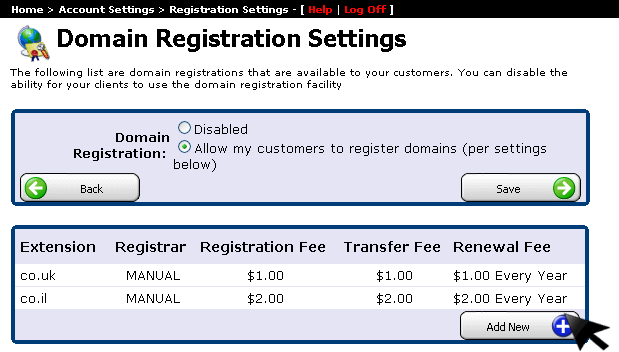
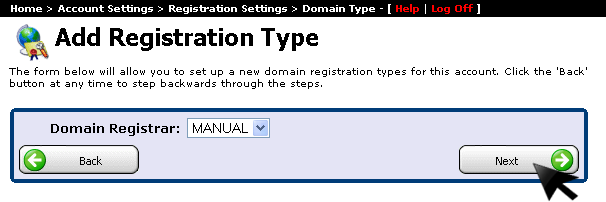
3. Add New Extension Profile
Click Add New and select Manual fulfillment mode (or automated registrar API):
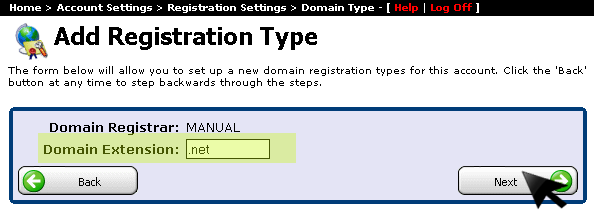
4. Enter TLD Extension Name
Enter the extension suffix (e.g. .com, .net, or .org) and click Next:
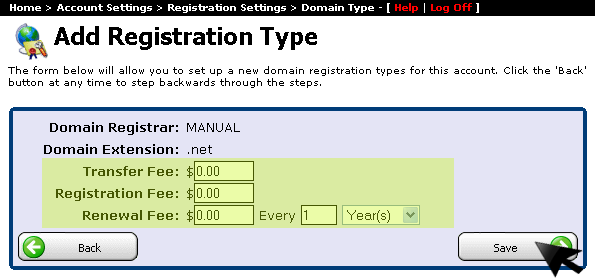
5. Define Registration & Renewal Pricing
Configure the base registration fee and annual renewal cost for the extension:
6. Enable Extension for Public Orders & Save
Toggle client ordering status to active and click Save:
7. Confirm Active Extension in Catalog
The extension is now live in your reseller domain storefront and ready for customer registrations: