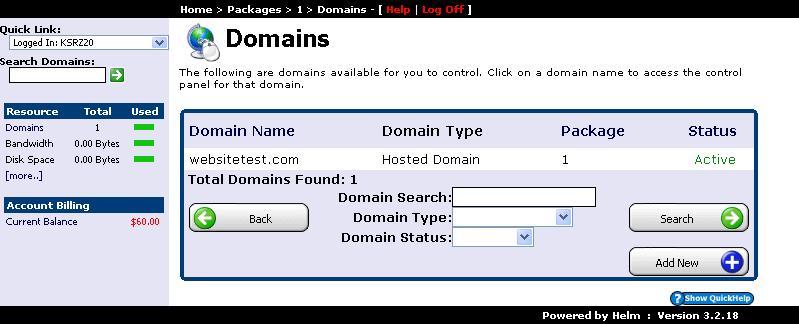
Adding and routing domains in your WinWinHost control panel allows you to host multiple websites under a single hosting subscription. Follow this visual step-by-step walkthrough to register or assign a domain to your account:
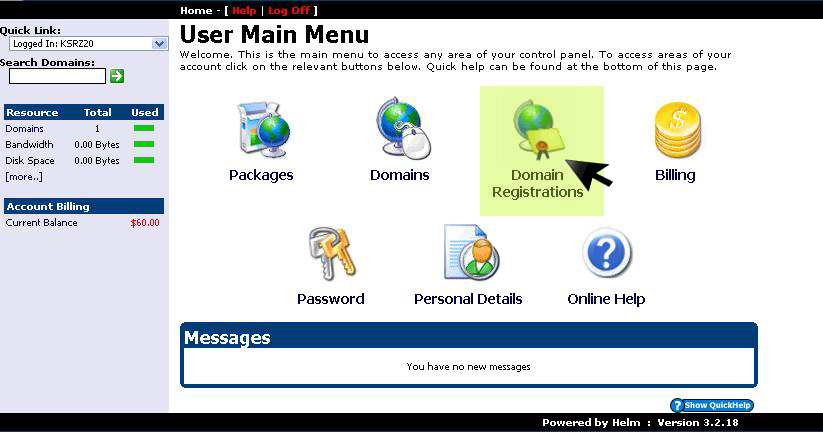
1. Select Domain Registration from Menu
From the main control panel navigation, select the Domain Registration option:
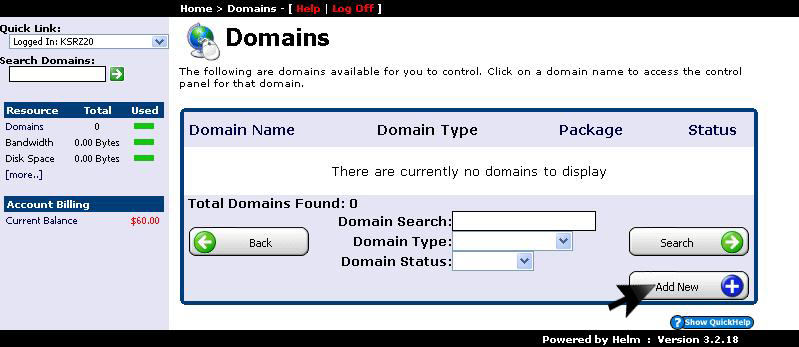
2. Click Add New Domain
View your existing registered domains or click Add New to register a new domain name:
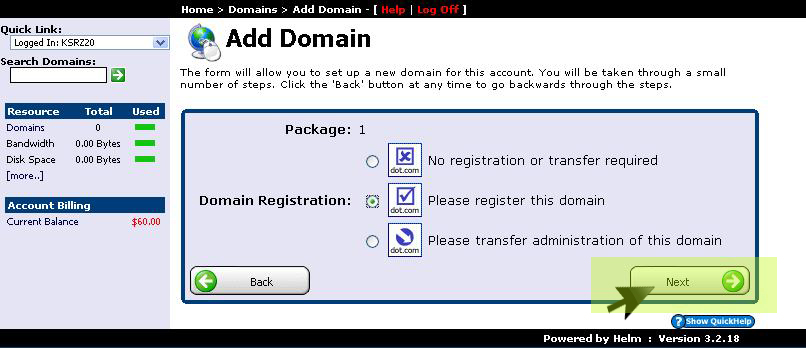
3. Choose Registration or Transfer
Choose whether you want to register a brand new domain name or transfer an existing domain from another registrar, then click Next:
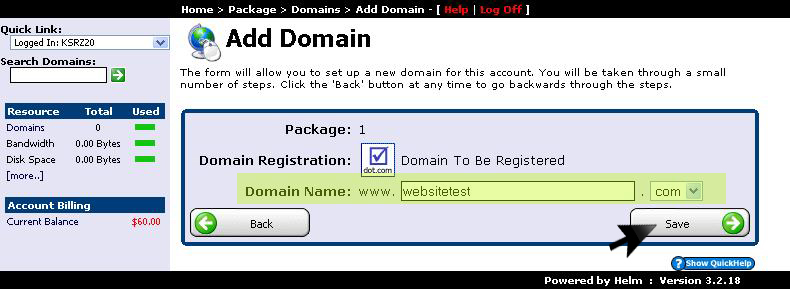
4. Enter Domain Name & Save
Enter the domain name along with your desired TLD extension, verify availability, and click Save:
5. Verify Active Domain in Control Panel
Return to the Domains section to verify that your domain is active, provisioned with dedicated root directory storage, and ready to receive website files: