Adding extra features and billable resource add-ons (such as dedicated IPs, supplemental storage blocks, extra databases, or SSL certificates) allows resellers to upsell premium services. Follow this visual step-by-step walkthrough to configure package add-ons in WinWinHost:
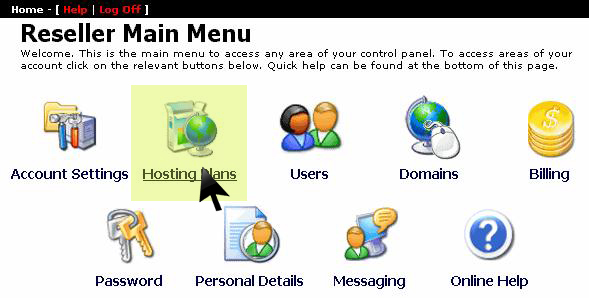
1. Access Hosting Plans Menu
From the main reseller management dashboard, click on Hosting Plans:
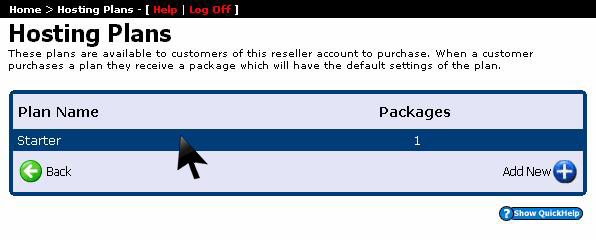
2. Select Target Hosting Plan
Select the specific hosting tier for which you want to configure supplemental add-on options:
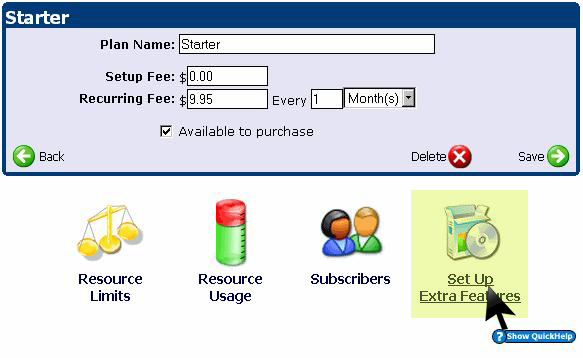
3. Open Extra Features Console
In the package options menu, select Set Up Extra Features:
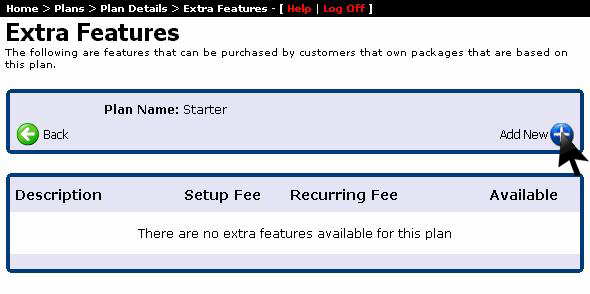
4. Click Add New Feature
Click the Add New button to initialize a new billable add-on module:
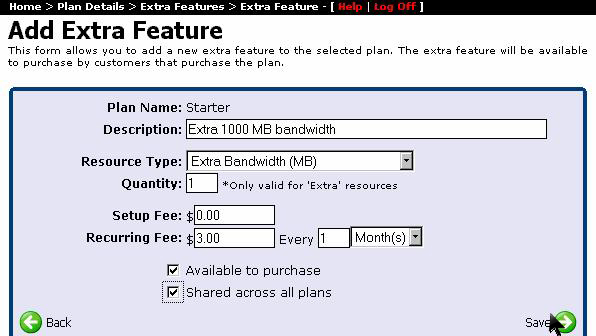
5. Define Pricing, Limits & Save
Specify the feature name, resource type, pricing fee, and quantity allocation, then check Shared across all plans (if applicable) and click Save: