
FrontPage Server Extensions provide legacy web publishing support for classic Microsoft FrontPage web authoring tools. Follow this step-by-step visual tutorial to activate FrontPage extensions on your domain in WinWinHost:
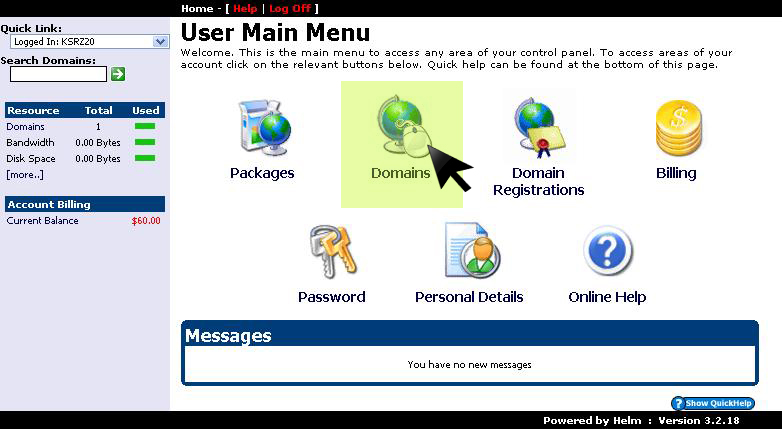
1. Open Domains Menu
From the main management dashboard, click on the Domains section:
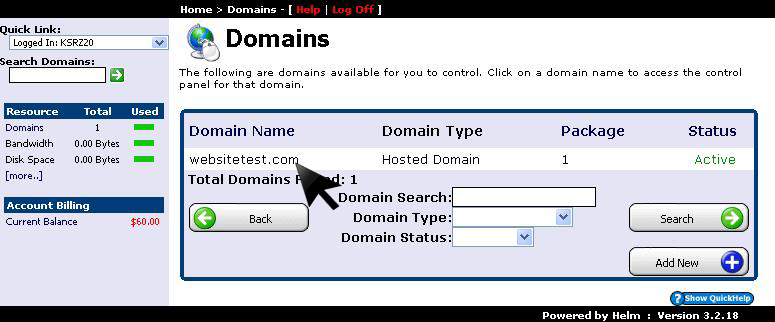
2. Select Target Domain
Click on the domain name where you wish to activate FrontPage Server Extensions:
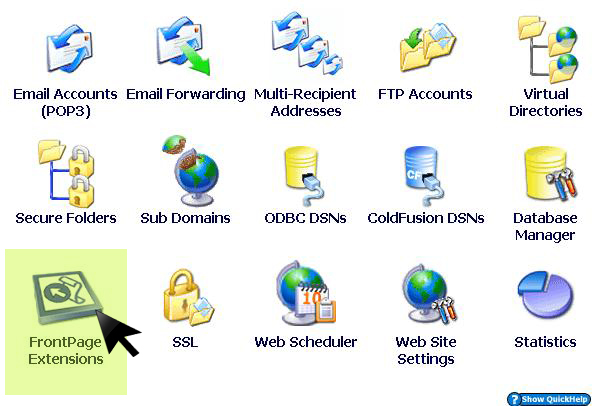
3. Open FrontPage Extensions Console
In the domain configuration options list, click on FrontPage Extensions:
4. Click Install to Enable Extensions
Click the Install button to provision the FrontPage server binaries and security RPC handlers on your web vhost:
