
Installing an SSL certificate enables end-to-end HTTPS encryption, protects visitor data, and satisfies browser security requirements. Follow this step-by-step visual guide to install an SSL certificate in WinWinHost:
1. Open Domains Menu
From the main control panel navigation, select the Domains section:

2. Select Domain for SSL Activation
Click on the domain name you want to secure with HTTPS:
3. Open SSL Management Console
From the domain configuration options, click on SSL to access encryption certificate settings:
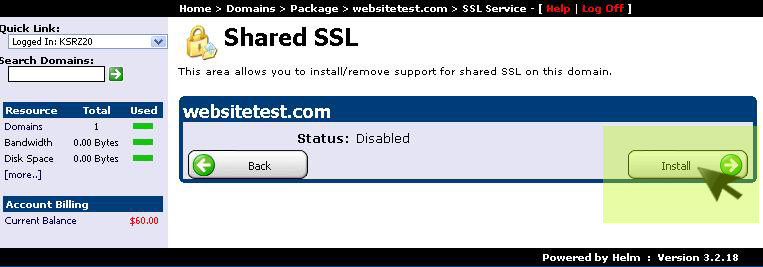
4. Click Install to Activate HTTPS
Click the Install button to bind the SSL certificate to your web server vhost and enable TLS encryption: